 SNOWBALL
Budget smarter.
Get debt-free.
Snowball is a simple budget app for your phone. Plan your year and month, track your bills and card spending, set aside your giving — and follow a clear debt snowball plan to your debt-free date.
Works on iPhone, Android and computer. No app store download, no account to create.
Everything in one place
The budget you’ll actually keep using
Five minutes to set up, a two-minute check-in each week. Snowball does the math so you can see where your money goes — and where it should.
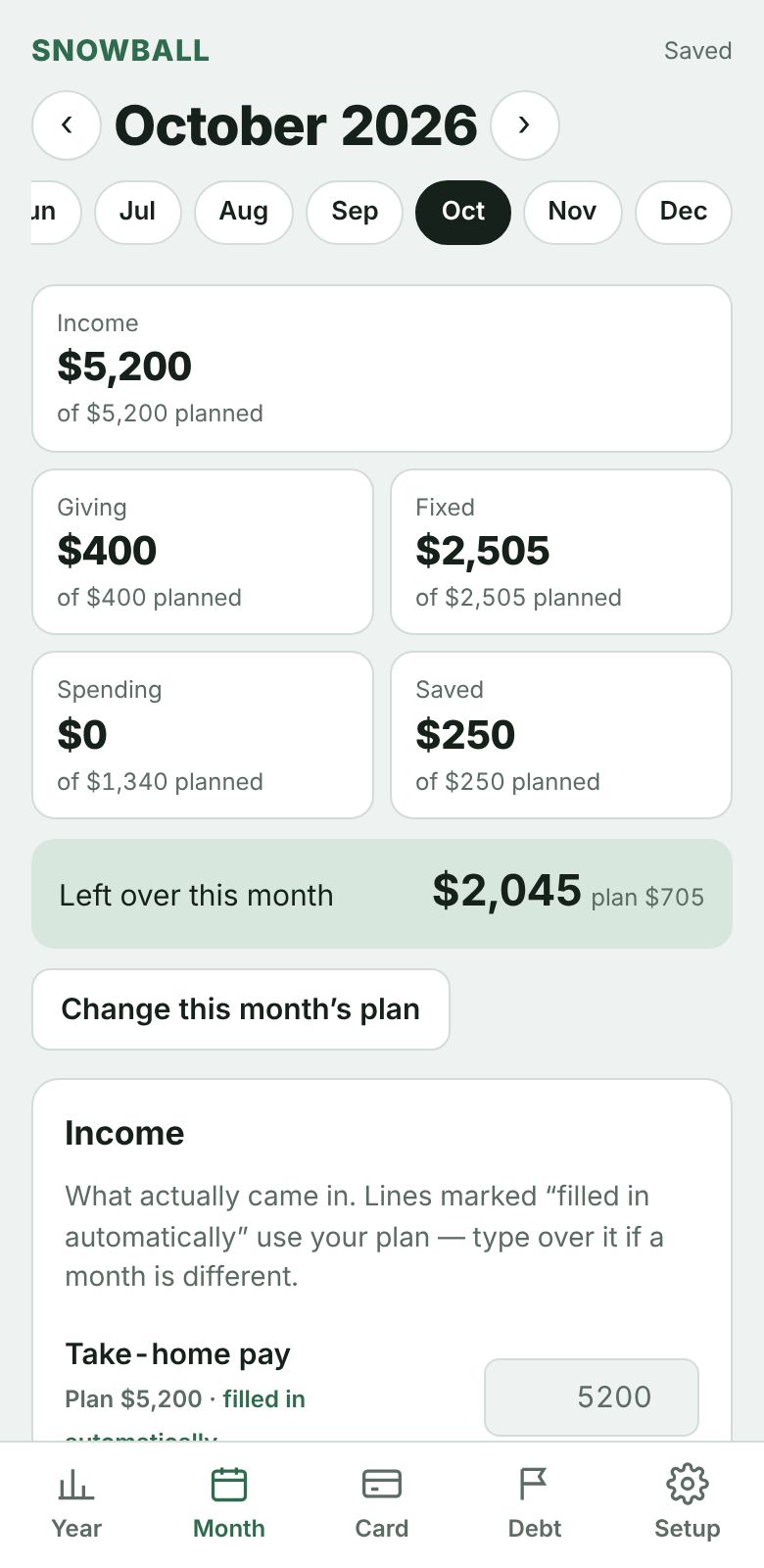
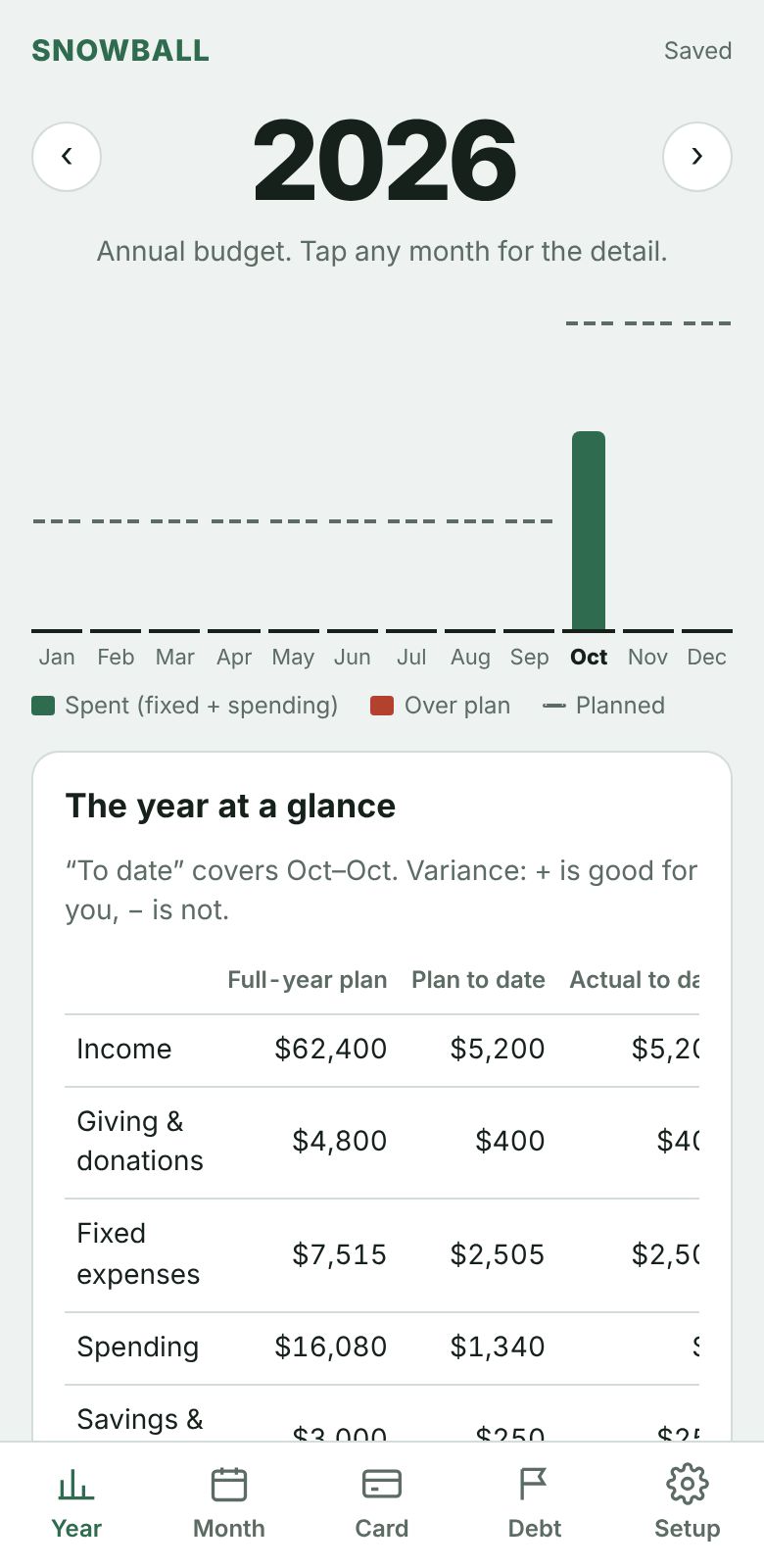
Annual + monthly budget
Plan the whole year, then see each month: income, giving, bills, spending and savings — planned versus actual.
Fixed bills, done once
Rent, car payment, insurance, phone — enter them once (weekly, bi-weekly or monthly) and they fill in every month.
Add spending your way
Quick-add an expense in seconds, paste transactions from your bank or a screenshot, or import a statement file. Works with credit cards and debit / chequing. See how
Giving comes first
A dedicated place for church giving and donations, so generosity is part of the plan — not an afterthought.
Weekly money check-in
A short checklist each week keeps you on track: import charges, sort them, and see what’s left this month.
Debt-free plan Premium
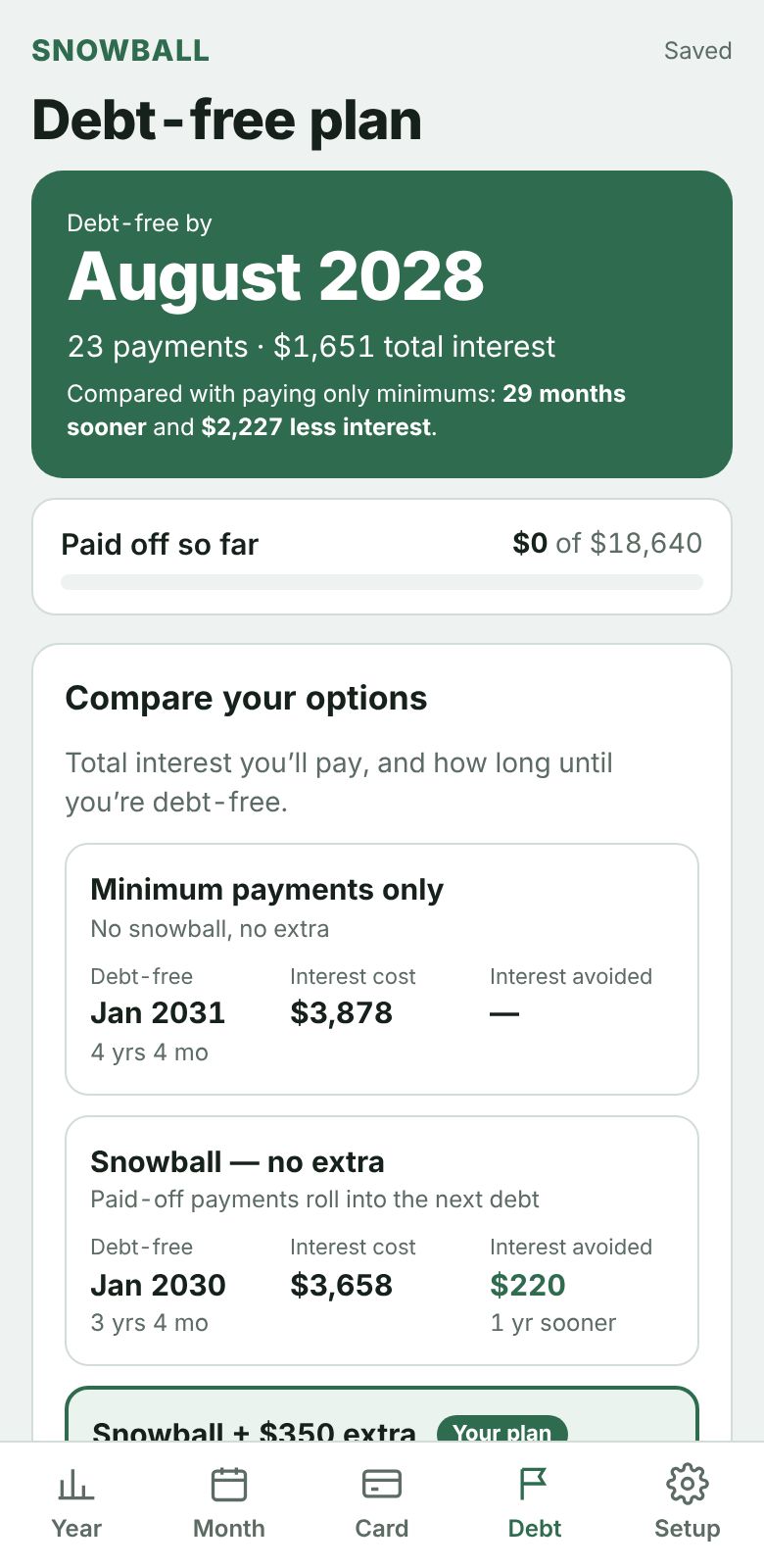
List what you owe and get your payoff order, monthly payments, interest saved and your debt-free date.
The debt snowball
Watch your debt-free date move closer
The snowball method is simple, and it works because you get quick wins:
- Pay the minimum on every debt.
- Put every extra dollar on the smallest balance.
- When it’s paid off, roll that payment into the next one.
Snowball compares your options side by side — minimums only, snowball, or snowball plus extra — so you can see exactly how much time and interest you save. Add payment reminders to your phone’s calendar so you never miss a due date.
Tracking your spending
Three easy ways to add your expenses
Use whichever suits you — or mix them. Works with credit cards and debit / chequing accounts from most Canadian banks, and you never share your bank login.
1. Quick add
Tap + Add expense, type the amount, tap where and a category. Done in about 5 seconds — perfect right after you pay.
2. Paste transactions
Copy your transactions from your bank’s website — or from a screenshot of your bank app using your phone’s copy-text feature — and paste. Snowball finds the dates, places and amounts.
3. Import a statement
Download your transactions as a CSV file from your bank’s website and import it — the fastest way to bring in a whole month.
Private by design
Your budget stays on your phone
There’s no account and no cloud database of your finances. Everything you enter lives on your own device — we can’t see it, and we never sell data or show ads.
- No bank logins. You import statement files yourself — we never ask for banking passwords.
- Backup in one tap. Save a backup file to iCloud, Google Drive or Files and restore it on a new phone.
- Works offline. Once installed on your home screen, Snowball opens even without internet.
How it works
Up and running in five minutes
No download from an app store. Snowball runs in your phone’s browser and installs to your home screen like a regular app.
Open Snowball
Tap “Start free trial” on your phone, then “Add to Home Screen” (Safari on iPhone, Chrome on Android).
Build your budget
A short guided setup asks for your pay, giving, bills, savings and spending categories.
Check in weekly
Add your spending — quick add, paste or import — see what’s left, and follow your debt-free plan month by month.
Pricing
Simple, honest pricing
Try every Premium feature free for 14 days — no payment needed. The budget itself stays free.
Free
$0
Forever
- Annual and monthly budget
- Fixed bills, weekly to monthly
- Card statement import
- Giving & donations
- Weekly check-in and backups
Premium
$9.99 CAD / year
About 83¢ a month, billed yearly
- Everything in Free
- Debt-free snowball plan
- Compare payoff options & interest saved
- Payment reminders in your calendar
- Use on up to 3 devices
Already decided? Buy Premium now
🎁 Give Snowball as a gift
Each activation code gives one person a full year of Premium. One-time payment — nothing renews. You get your codes on screen right after paying, ready to pass along.
Financial advisors, churches & teams: give your clients or members a head start on their budget and their debt-free plan.
Prices in Canadian dollars. Payments are processed securely by Stripe — we never see your card number. Cancel anytime; full refund if you ask within 14 days of a charge.
Questions
Frequently asked
Is my financial information safe?
Yes. Your budget is stored only on your own device — not on our servers. There’s no account, no bank login, and no tracking or ads. See our privacy policy.
How do I add my credit card or bank transactions?
Tap + Add expense and pick one of three ways (Snowball remembers your usual): Quick add one expense at a time; Paste transactions copied from your bank’s website or from a screenshot of your bank app; or Import a CSV file downloaded from your bank’s website. Step-by-step guide for iPhone, Android and computer →
Can I use a screenshot of my bank app?
Yes. Take a screenshot, open it in Photos and use Live Text (iPhone) or Google Lens → Text (Android) to select and copy the text. Then tap + Add expense → Paste transactions in Snowball. Your phone reads the text — nothing is uploaded.
Do I need to download it from the App Store or Google Play?
No. Open Snowball in Safari (iPhone) or Chrome (Android) and choose “Add to Home Screen.” It then opens full-screen like any other app and works offline.
What happens after the 14-day trial?
Your budget keeps working for free. The debt-free plan and payment reminders need Premium — $2.99 CAD a month or $9.99 CAD a year. We never charge you automatically at the end of the trial, because no card is needed to start.
How do I unlock Premium after buying?
It’s automatic: after checkout you come straight back to Snowball and Premium switches on. You’ll also see your activation code — save it, and paste it under Setup → Premium to use Premium on your other devices (up to 3).
Can I give Snowball as a gift?
Yes. Buy activation codes — 1 code for $9.99, or packs of 3 ($19.98), 5 ($29.97) or 10 ($59.94). Each code gives one person a full year of Premium on up to 3 of their devices, and nothing renews. Your codes appear on screen right after paying; send one to each person and they paste it in Snowball under Setup → Premium. When their year is up, they can subscribe themselves if they’d like to keep Premium.
Can I cancel or get a refund?
Yes — cancel anytime in Snowball under Setup → Premium → Manage or cancel your subscription. If you’re not happy, contact us within 14 days of a charge for a full refund.
What if I get a new phone?
Use Setup → Save backup to save a file to iCloud, Google Drive or Files. On your new phone, open Snowball and restore that file.
Is this financial advice?
No. Snowball is a budgeting tool; its payoff dates and interest figures are estimates based on the numbers you enter. For big decisions, check with your lender or a qualified professional.
Start your snowball today
Set up your budget in five minutes and see your debt-free date. Free for 14 days.